I just found a cool solution to a very annoying problem. The layers of editing required to liberate a Sims 4 character from the game, through Blender and into Unity for vrm exporting really fucks up the armature. It's something that's been an issue since I started this.
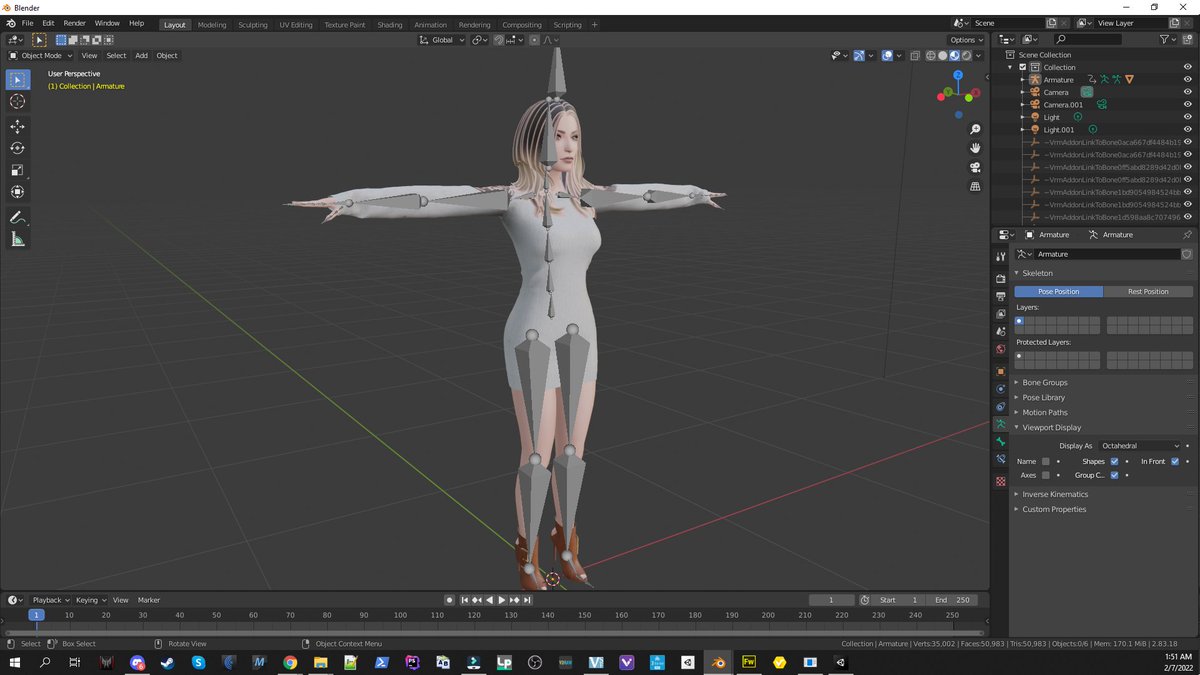
My earlier experiments resulted in weird deformities I had trouble getting rid of. Long gangly broken looking fingers, jawbones that hung open. Stuff like that. But the solution was stupid simple. And I wish I had thought of this weeks ago. Check it out.
So, the utility I'm using to liberate these sims is called TS4 SimRipper. It's fantastic. And different settings produce different results and configurations, grouping, and whatnot. No complaint there. What I'm looking at now is the final rig. You need a couple sets of them.
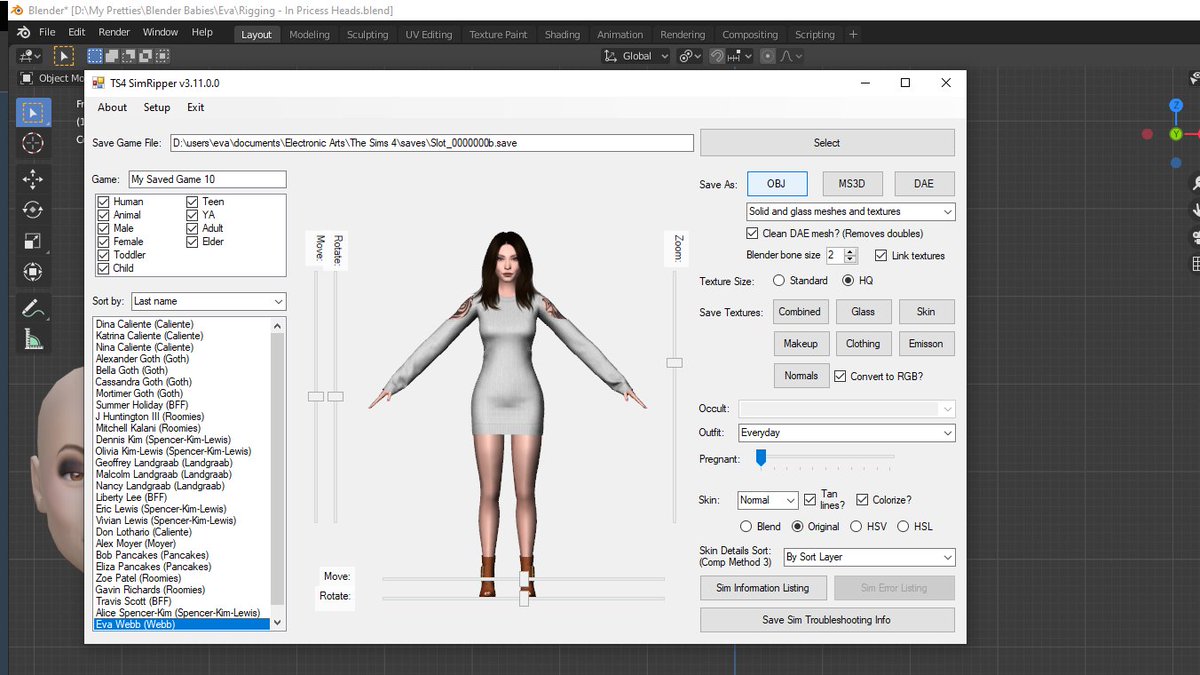
Export the raw mesh
Instead of the obvious, which is to export to DAE, which does an okay job at preserving the armature, you go with the less intuitive solution of exporting an obj. That'll give you a model with only the raw meshes. She'll be pretty, but unable to move, which is what you want.
At this point, since we're talking about the final rig, you've already done all the shape keys, and are holding those back in the background. Ready to pounce with facial expressions and phonetics when the opportunity presents itself... because that's how you roll.
Rebuild the rig
The very next thing you do with her, is bringing this gorgeous creature into Blender, and export her as an fbx. Pretty standard. What's not standard, and where you go totally crazy, is the next step. Mixamo! Mwahahaha!
The first thing Mixamo will notice, when you upload your model this way, is that she's unrigged. And you'll be prompted to drag the thingies around to do some auto rigging by way of their beautiful beautiful algorithm!
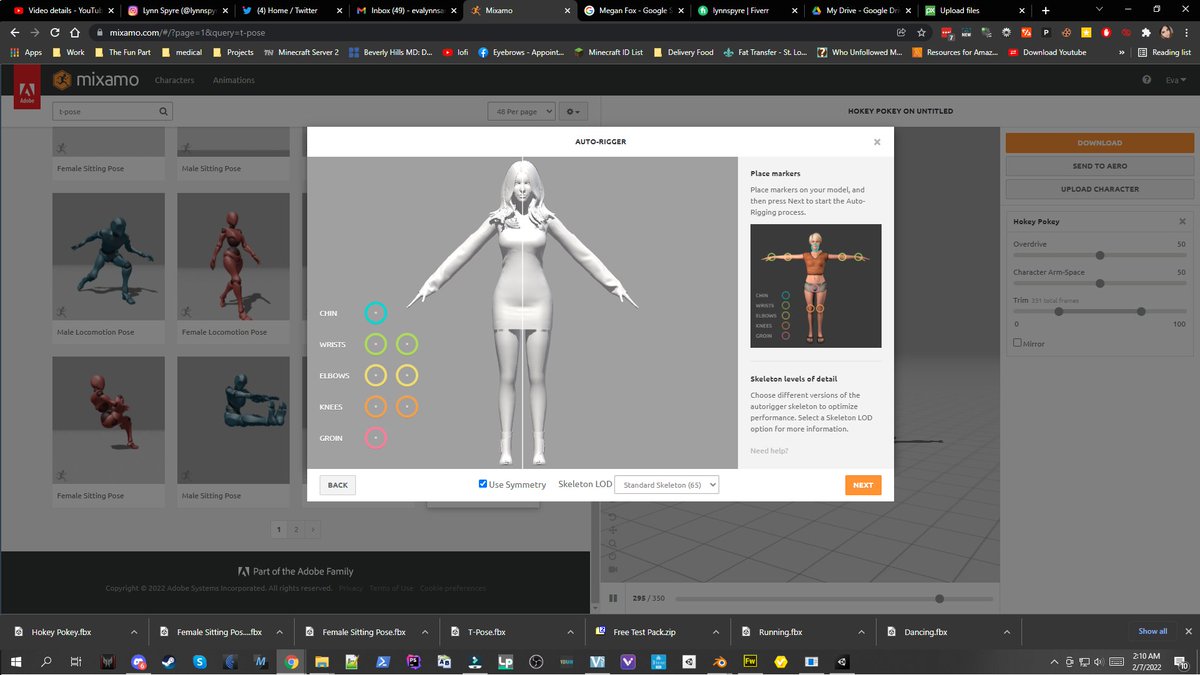
Now, you can sit sexy, or do the hokey pokey, or any number of interesting things that you can export as animations or poses, for your now fully rigged character. There's just one more step. Find the T-pose! It's right there.
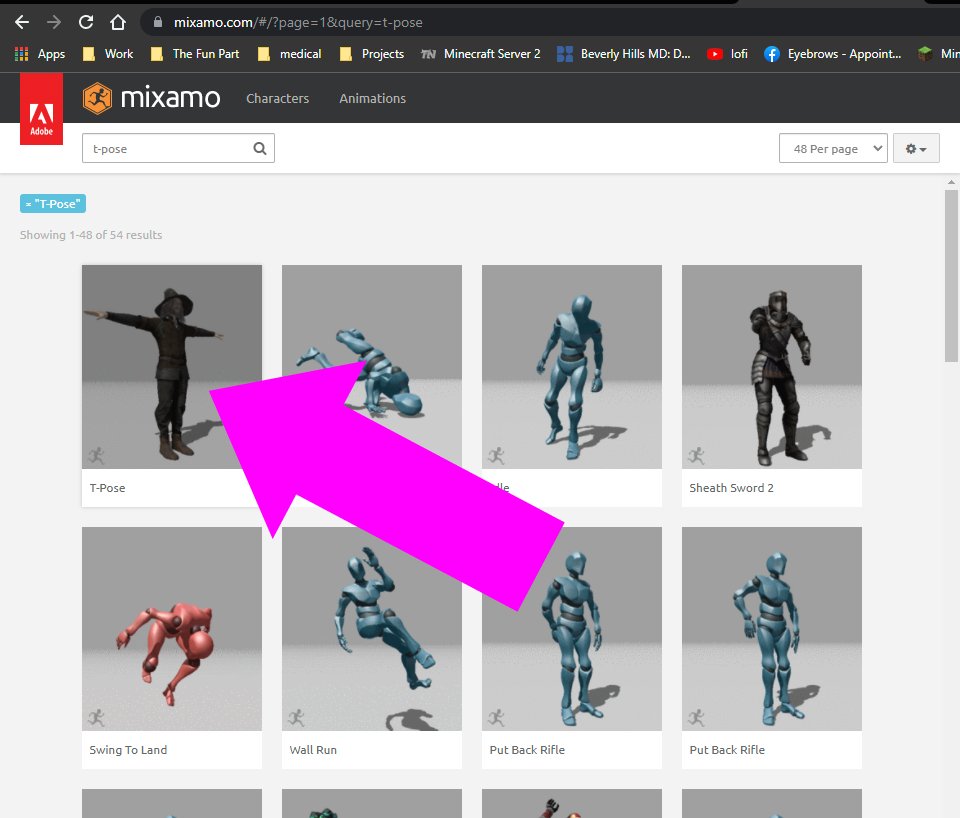
Save, export, drop into Unity. And you're done baby. Re-rigged, pretty, and ready for those last steps I do. Boom! That's how you do it. I'm just gonna sit here and pat my own back for a sec. I'm pretty smort sometimes.
Why the armature needs to change
Clarification: The armature that comes with these is not garbage. It does the job, it's just not designed to be worked on or operated by humans. VTubing requires a different kind of armature to do a different job. I did use the facial armature a lot though, that piece is amazing.